
Let's Create an AI Learning Application, Day 1

Happy New Year
This Substack is mostly about building, not talking. When I do talk, it’s in the service of building. If I pontificate occasionally, please forgive me.
This series is about designing and building an AI learning application—not a demo, not a proof-of-concept, but a real learning environment grounded in learning design, evidence, and iteration.
Follow Along as I Build an AI Learning App
Better yet, why not make it a goal in 2026 to build your own?
Remember: Design + domain knowledge is the primary skill set. Technology is secondary and can be learned as you go. In an age of AI, the scarce skill is no longer coding—it’s knowing what to build and why.
If you want to build your own, I’ll include practical guidance along the way in a section called Tips, BYO (Build Your Own).
I won’t post every day, but you can expect updates at least a couple of times a week. The next post will be labeled “Let’s Create an AI Learning Application, Day 2.”
One more thing before we get started. I won’t follow a strictly linear process. I want to share both the big picture and important details as they arise. If you prefer a more structured path, I’m putting together an online, hands-on studio course that walks through the same ideas end-to-end.
More on that later.
The Deep Reading Application
The application I’ll be building focuses on deep reading of literary texts. Let’s not worry yet about defining “deep reading.”
For version one of the application, I’ve chosen five texts—somewhat arbitrarily, but deliberately canonical and varied:
Indian Camp — Ernest Hemingway
Chapter 1 of Northanger Abbey — Jane Austen
The Sisters from Dubliners — James Joyce
Chapter 1 of The Great Gatsby — F. Scott Fitzgerald
Act I, Scene 1 of King Lear — William Shakespeare
Future versions will allow instructors to choose their own texts. All of these are in the public domain.
Two Senses of AI
In designing an AI learning application, we’ll use “AI” in two distinct senses.
First, we’ll use AI as a tool for building the application. Most of the coding will be done with AI tools so that we can focus our attention where it matters: learning design.
Second, we’ll incorporate AI inside the learning experience itself—as something students interact with as they read, think, create, and revise.
One sense helps us build.
The other helps students learn.
Keeping these two roles distinct turns out to be essential.
Learning Design, Learning Artifacts, and AI Models
In previous posts, I introduced the term assessment-for-feedback, an idea associated with Benjamin Bloom and others. The core insight is simple: the purpose of assessment during a learning journey is not grading, but gathering evidence in order to provide feedback.
The output of an assessment is what I’ll call a learning artifact—something the learner produces that leaves a visible trace of their thinking, understanding, or skill at a particular moment in time.
In this project, learning artifacts are central. They are not side effects; they are the raw material of learning.
AI plays two roles here as well. We use AI to generate artifacts (for example, by helping students create representations), and we use AI to analyze artifacts in order to support feedback, guidance, and progression.
The goal is not better automation. The goal is better visibility into student thinking.
An Example: Diagrams as Learning Artifacts
In the deep reading application, one early task will learners to create a diagram of the story.
After a first reading, the learner is asked to create a diagram that answers three basic questions:
Who are the main characters?
What are the main events?
What are the major scenes?
Before reading, the learner is given a concrete framing:
You have been hired as a director to create a short film based on Hemingway’s “Indian Camp.” Start with the basics—not interpretation. Focus on characters, events, and scenes.
This matters. The task externalizes understanding and slows interpretation. It forces structure before analysis.
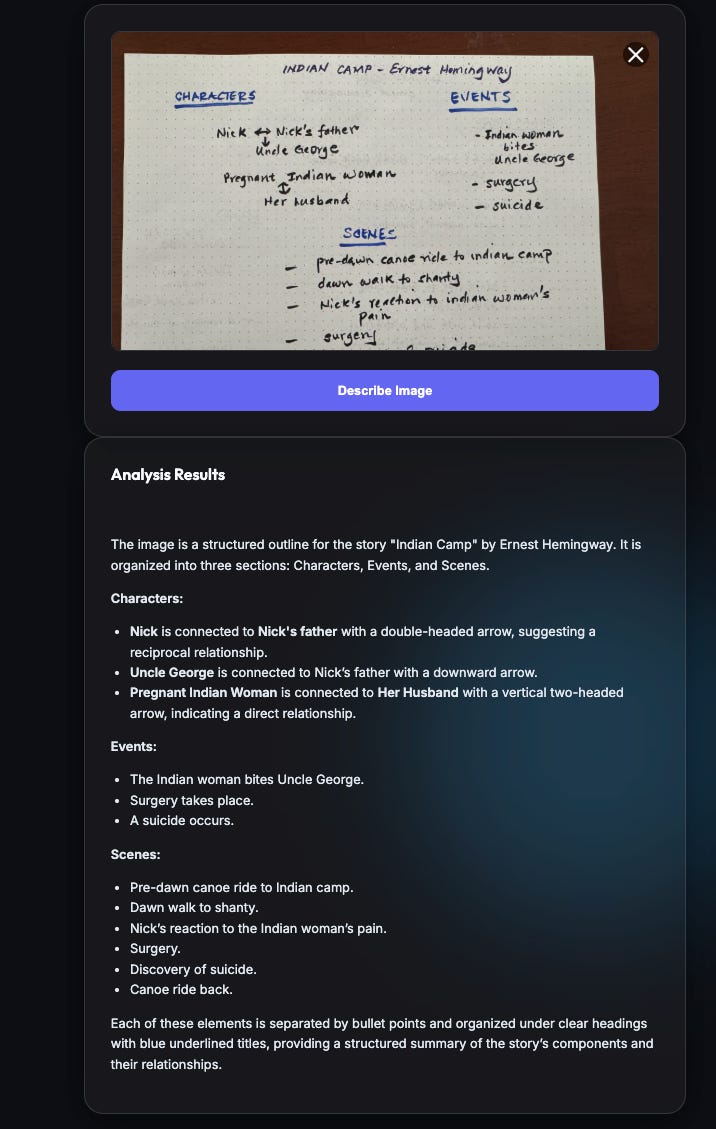
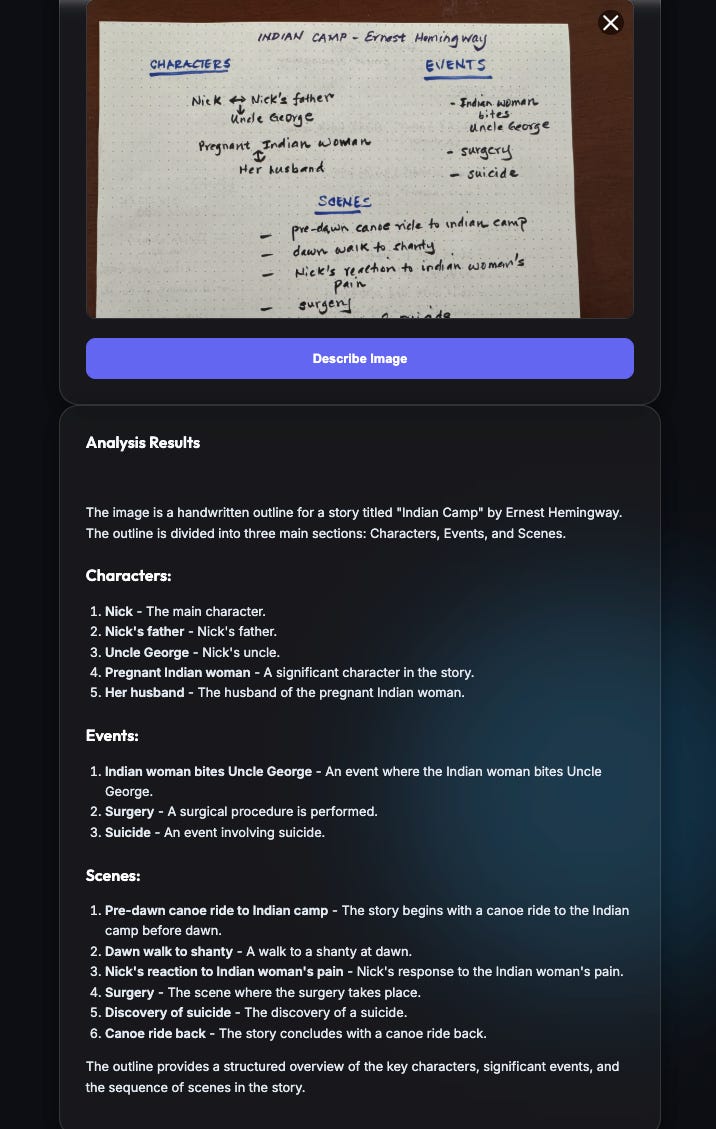
After completing the reading, suppose the learner uploads a hand-drawn diagram (see Figures 2 and 3).
At this point, we want an AI system to interpret the artifact—not to judge it, but to understand it.
Choosing Models: Frontier vs. Specialized
One option is to use a large, general-purpose “frontier model.” Another is to use smaller, specialized models tuned for particular tasks.
In this case, image recognition and interpretation are what we care about. So I built a small test application—an Image Interpreter—to compare the performance of different multi-modal models.
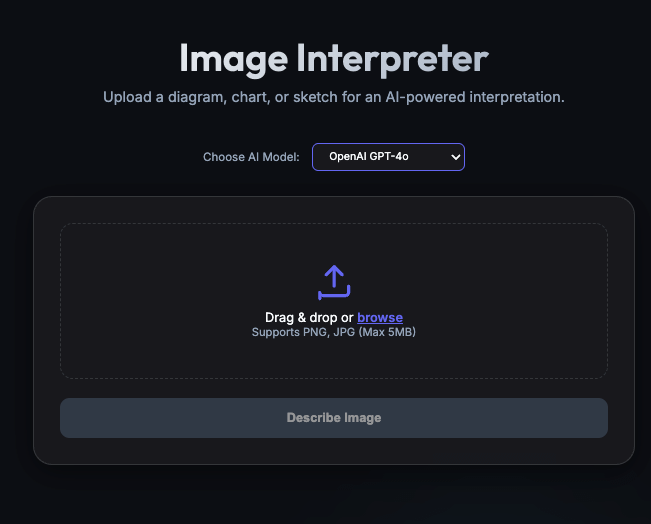
Initially, I tested models from OpenAI and Mistral.
When I upload the student’s diagram, OpenAI’s GPT-4o returns a surprisingly strong analysis—especially given that the model has no context. It only sees the drawing.
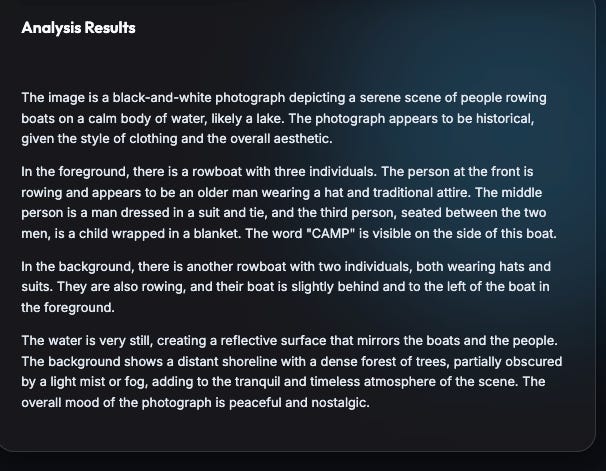
Feeding the same diagram to Mistral’s Medium 2505 model produces a similar result.
A Second Example: Generated Scenes
Later in the learning journey, students are asked to generate a scene from the story using AI. Here the student is learning to use AI to generate images tied to their learning.
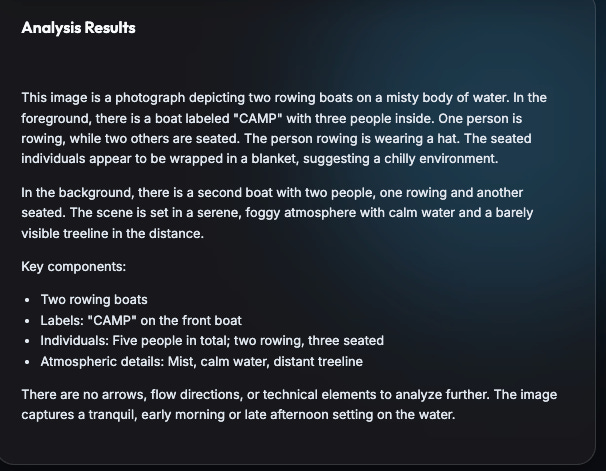
Suppose a learner uploads an AI-generated image (Figure 4) representing the opening of Indian Camp.
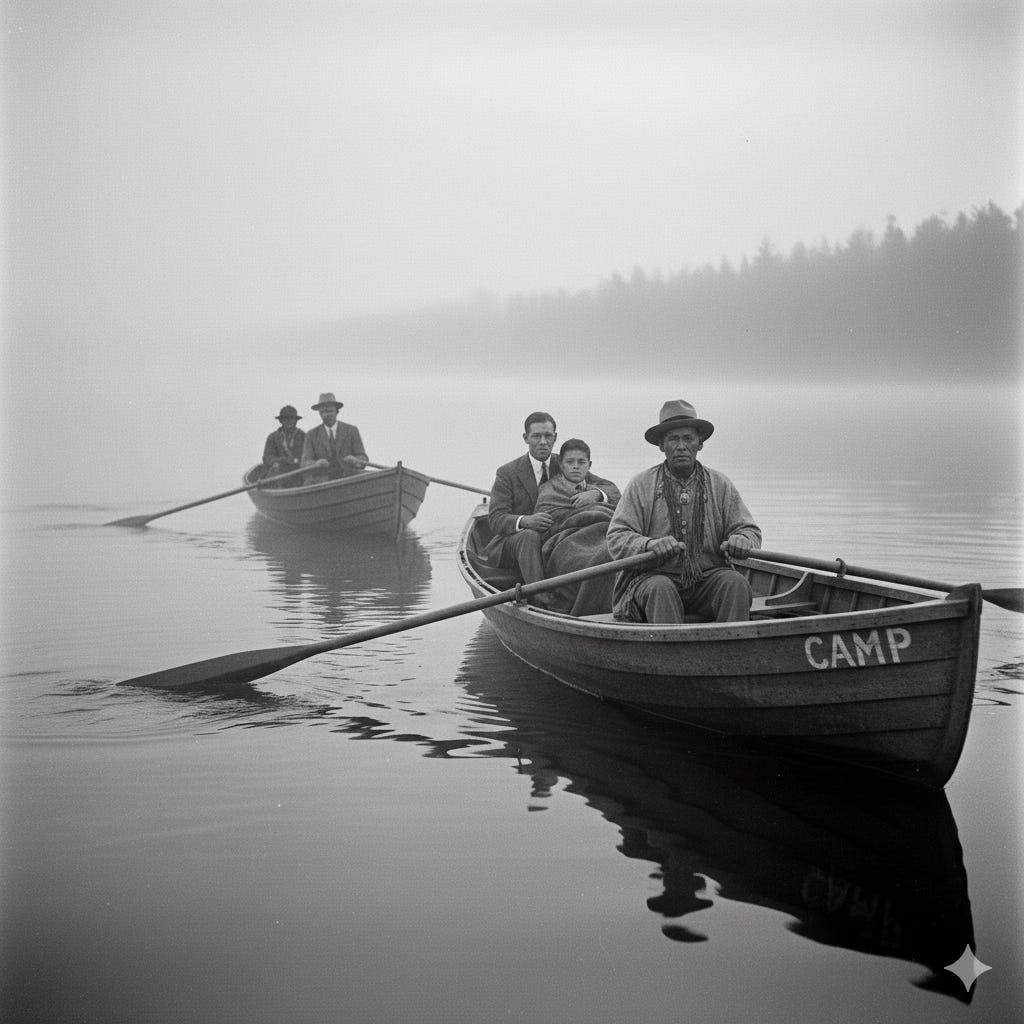
Feeding this image into the same image analysis pipeline again yields coherent interpretations from both OpenAI and Mistral. OpenAI’s analysis is shown in Figure 5:
Mistral’s analysis.
Conclusion
What matters in all of this is the pattern.
Learners produce rich artifacts—diagrams, images, representations—that make their thinking visible. AI systems interpret those artifacts and help generate feedback, prompts, and next steps.
Design the task.
Capture evidence.
Interpret thoughtfully.
Respond with feedback.
That is the basic loop we’ll return to throughout this series.
In Let’s Create an AI Learning Application, Day 2, I’ll focus more directly on how these artifacts feed into feedback loops and learner progression.
More building to come.